
HDR Camera Modules: Questions to Ask Before Selection
Assess bright and dark scene detail, motion artefacts and output behaviour before choosing an HDR mode.
Prepared by Honglan Electronics
An HDR label should begin a technical discussion about difficult scenes. It should not end that discussion. To select a useful module, establish which bright and dark details must remain visible at the same time, then test the proposed mode under realistic lighting and movement.
Describe the scene conflict
Create examples of the contrast that causes failure. A face near a bright entrance, a reflective component under inspection lighting and an indoor scene containing a window are different situations. Identify the exact target region and what must be preserved there.
Set an acceptance rule for both the bright and dark areas. A pleasing overall image can still lose the mark, edge or feature your system needs. Include scenes where the lighting changes rather than judging only a static demonstration.
Ask what HDR means in this implementation
HDR behaviour varies with the sensor, camera processing and selected operating mode. Basler's product documentation illustrates that HDR settings are implemented for particular camera models and configurations. Do not infer that another module shares those settings or delivers the same output.
Request a description of the capture method, output format, available controls and known limitations. Ask whether enabling the mode changes resolution, frame rate, exposure control, latency or the data consumed by your software. Obtain confirmation for the exact firmware revision being sampled.
Compare motion as well as tonal detail
Where an implementation combines different exposures, moving subjects require particular attention. Look for duplicated edges, local discontinuities or unstable detail. Do not assume that an improvement in a stationary test will remain an improvement when the target moves.
Prepare a repeated movement through the difficult lighting region. Keep original output files from HDR-enabled and HDR-disabled tests, with the mode and settings recorded. If the application performs recognition, compare recognition results rather than evaluating only a screen preview.

Check the downstream image path
Determine what the camera transmits and what the application receives. A processed display image may not preserve the same information as another output mode. Inspect bit depth, conversion, tone handling, compression and display settings where they affect the task.
Avoid comparing a dark, unadjusted capture from one module with a heavily adjusted capture from another. Establish a fair baseline and explain any processing used. If a system requires measurement rather than viewing, ask how the proposed processing affects repeatability.
A useful sample procedure
- Capture a balanced reference scene.
- Add the intended bright region and verify important highlights.
- Reduce illumination on the dark target region.
- Repeat with motion at the required speed.
- Change illumination and observe control settling.
- Evaluate output in the production application.
- Record any mode restrictions and remaining failures.
Agree which failures are acceptable before choosing the module. HDR may help a scene, but changes to lighting position, glare control or enclosure geometry can also be worth testing. Treat those options as experiments with recorded results.
Read the low-light evaluation guide for testing dark regions without confusing brightness with detail. When requesting an engineering review, attach representative scenes and ask for mode-specific confirmation rather than relying on an HDR acronym.
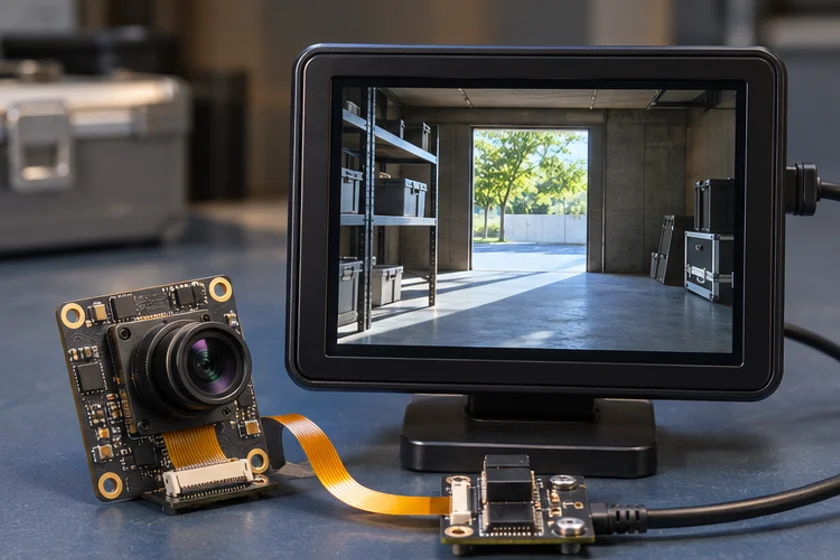
Apply this to a camera module
For a backlit entrance or inspection fixture, start with the PS5268 wide dynamic range module. Use a representative scene to compare foreground visibility and exposure.
Technical references
- Define bright and dark areas
- Select capture settings
- Test a moving subject
- Inspect output and artefacts
Does HDR guarantee readable detail in every backlit scene?
No. Suitability depends on the contrast, target movement, implementation, output processing and application criterion.
What should an HDR quotation specify?
The exact assembly, firmware, mode, output format, control behaviour and any frame-rate or resolution restrictions.